Roundup
The 6 best AI flashcard makers in 2026
AI can turn your notes into flashcards in seconds, but cards are only as good as the spaced repetition behind them. Here are the tools that get both right.

Study content creator, Aicademy contributor
8 min read
Making flashcards used to be the slow part of revision. Now an AI can turn a chapter of notes, or a whole PDF, into a deck of question-and- answer cards in seconds. That is genuinely useful, but it comes with a catch worth saying up front: a flashcard is only as good as the spaced repetition behind it. The best AI flashcard makers do not just generate cards, they schedule them so the ones you find hard come back sooner.
This is a shortlist of six tools worth using, compared on the things that matter: whether they generate cards with AI, whether they schedule reviews with spaced repetition, whether they can build a deck from your own notes or a PDF, how good the free tier is, and price. Prices are as of August 2026 and linked at the end.
What makes a good AI flashcard tool
Anything can spit out cards now. Three things separate a tool that actually improves your grades from one that just makes you feel busy:
- Spaced repetition. The single most important feature. If the app does not resurface cards on a schedule based on how well you knew them, it is a digital pile of cards, not a study system.
- Generation from your material. The best decks come from your own notes, class content or a set text, not a generic public set. Look for PDF and note uploads.
- Editable output. AI writes the occasional vague or wrong card. You want to be able to fix them fast, ideally as you review.
The 6 best AI flashcard makers
1. Aicademy — best for generated cards plus a full lesson
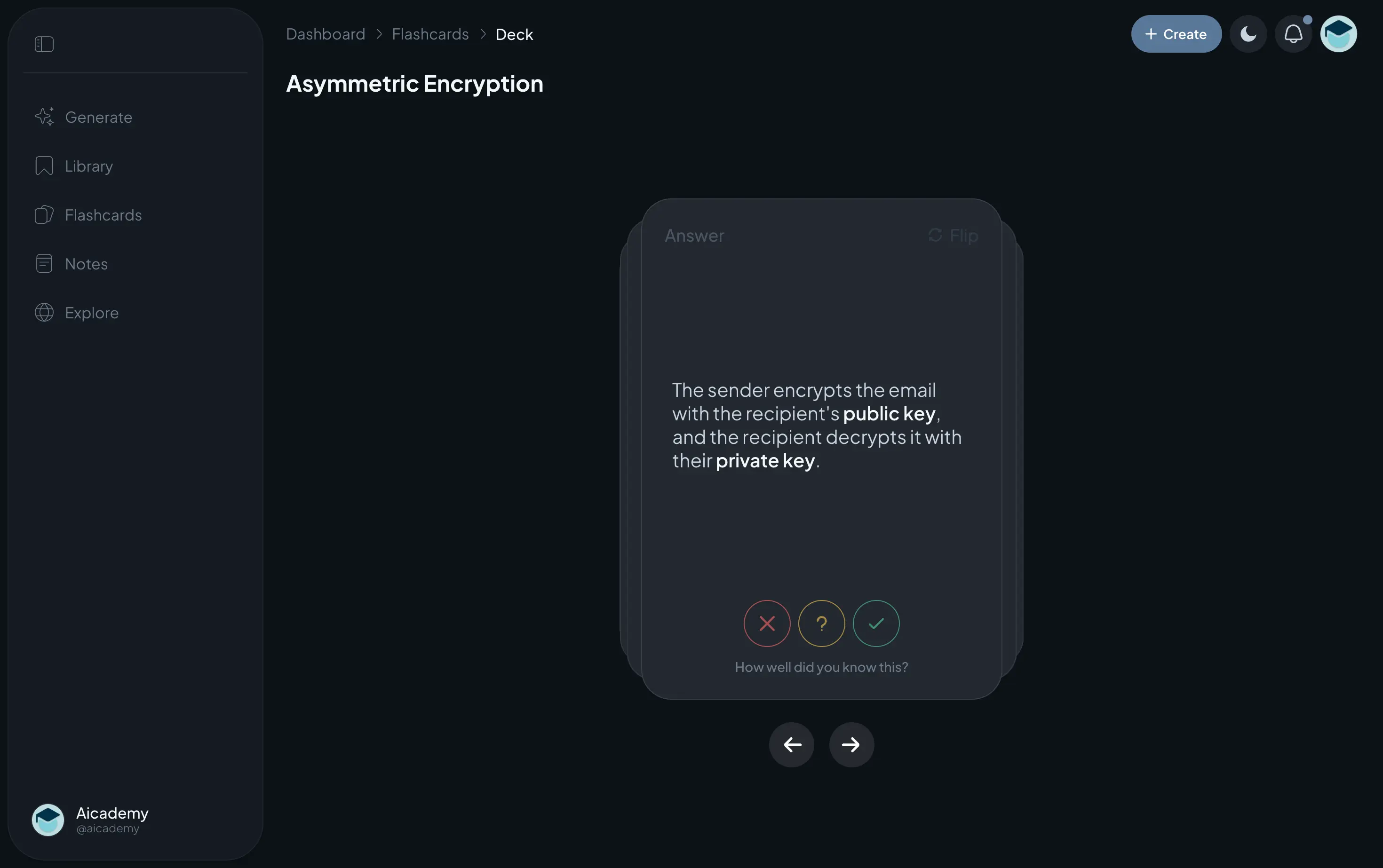
Aicademy generates a flashcard deck from any topic, or from notes and a PDF you upload, and puts the cards into a spaced-repetition system so you actually review them. What sets it apart from a pure flashcard app is that it also builds a matching lesson and quiz, so the cards sit inside the wider context of the topic rather than floating alone. It is built for UK GCSE and A-level and priced in pounds.
Where it is weaker: if all you ever want is a bare flashcard app with a giant library of ready-made public decks, a dedicated tool like Quizlet has more of those. Aicademy generates your material rather than serving existing sets.
Best for: students who want AI cards plus a lesson and quiz on the topic · Free tier, Pro £9.99/mo
2. Knowt — best free AI flashcards
Knowt is the strongest free option. It generates flashcards and notes from an upload, keeps Learn mode and practice tests free, and can import your existing Quizlet sets. If your priority is not spending anything and still getting AI generation plus proper study modes, start here.
Best for: anyone who wants AI flashcards and study modes for free · Generous free tier, paid from ~$12/mo
3. Quizlet — best for ready-made sets and Magic Notes
Quizlet’s Magic Notes can turn a document into a set, and it still has the largest library of ready-made public flashcards anywhere. It moved several once-free features behind its paywall over 2025 and 2026, so check what is still free, but for breadth of existing sets it is unmatched. If you are weighing it up, see our Anki vs Quizlet comparison.
Best for: students who want a huge library of existing sets · Free tier, Plus ~$7.99/mo
4. RemNote — best for note-takers
RemNote combines note-taking with spaced-repetition flashcards you create as you write, and it has AI tools to help draft cards from your notes. If you already keep detailed notes and want revision baked into the same document, it is a lovely fit. There is a learning curve, so it suits methodical students more than last-minute crammers.
Best for: students who want notes and flashcards in one document · Free tier, paid from ~$8/mo
5. StudyGlen — best for quick generation from uploads
StudyGlen is a lighter, generation-focused tool: feed it notes or a document and it produces flashcards and quiz questions quickly. It is a handy way to turn a set of notes into a deck without much setup. Its review scheduling is simpler than a dedicated spaced-repetition engine, so pair it with a review habit of your own.
Best for: students who want fast card generation from an upload · Free tier, paid plans available
6. Anki with an AI add-on — best retention engine
Anki has the gold-standard spaced-repetition algorithm, and while it does not generate cards on its own, community add-ons and pairing it with a chatbot let you draft cards and import them. It is fiddlier than the others and the interface is dated, but nothing beats it for long-term retention. Best if you are willing to invest a little setup time for the strongest scheduling there is. If that setup is the dealbreaker, we round up the best Anki alternatives separately.
Best for: power users who want the best scheduling and will tinker · Free (iOS app ~$24.99 one-off)
| Tool | AI generates | Spaced rep. | From notes/PDF | Free | From |
|---|---|---|---|---|---|
| Aicademy | Yes | Yes | Yes | Yes | £9.99/mo |
| Knowt | Yes | Yes | Yes | Yes | Free / paid |
| Quizlet | Partial | Partial | Partial | Yes | $7.99/mo |
| RemNote | Partial | Yes | Partial | Yes | ~$8/mo |
| StudyGlen | Yes | Partial | Yes | Yes | Free / paid |
| Anki + add-on | Partial | Yes | Partial | Yes | Free |
Competitor prices in USD as listed publicly as of August 2026, and may vary by plan and region. Confirm on each vendor’s site before relying on a single figure.
How to actually use AI flashcards
The tool is the easy part. What decides whether the cards work is how you use them:
- Feed it good notes. Clean, structured source material makes clean cards. Rubbish in, rubbish out.
- Edit the deck before you trust it. Skim every card once, fix anything vague, and split cards that ask two things at once.
- Review on a schedule, not in one sitting. The whole point of spaced repetition is short, frequent sessions. Ten minutes a day beats two hours the night before.
- Answer out loud or in writing first. Retrieve the answer from memory before you flip the card. Recognising it is not the same as recalling it.
We go deeper on writing cards that actually stick in how to make flashcards that work and on the science behind the schedule in active recall and spaced repetition.
One honest note: Aicademy is our own tool and it is top of this list, so weigh that accordingly. It earns the spot for turning any topic or your notes into a spaced-repetition deck alongside a matching lesson and quiz, not for being the cheapest. If you only want free flashcards with nothing around them, Knowt is the better pick, which is exactly why it is second.
Frequently asked questions
For most students the best all-round choice is a tool that both generates the cards and schedules them for review. Aicademy generates a spaced-repetition deck plus a matching lesson and quiz from any topic or your own notes, and Knowt is the strongest free option, generating cards from an upload and keeping study modes free. Anki paired with an AI add-on is best if you want the most powerful scheduling engine.
Yes. Aicademy, Knowt and StudyGlen can all take a PDF, a set of notes or a topic and generate flashcards from it. The quality depends on the source: give the tool clean, well-structured notes and the cards will be sharper. Always skim the generated deck and delete or fix any card that is vague or wrong before you revise from it.
Yes. Knowt has a generous free tier for AI flashcards and study modes, StudyGlen offers free generation, and Aicademy has a free tier that creates flashcards, lessons and quizzes. Anki is free on desktop and Android and can be paired with a free or low-cost AI add-on to draft cards.
They are a huge time-saver, but they are only as good as two things: the notes you feed in, and the spaced repetition behind them. AI can write a clean question-and-answer pair in seconds, but if you never review it on a schedule it will not stick. Use AI to remove the busywork of making cards, then commit to reviewing them little and often.
How to make flashcards that workAicademy has a free tier with 10 creations a month across lessons, quizzes, flashcards, learning paths and document uploads, plus 10 AI tutor messages a day. Pro is £9.99 a month, or £59.99 a year, and removes the limits.
Writing your own cards is itself a form of active learning, so there is real value in doing it by hand. But it is slow, and for big topics that friction stops a lot of people revising at all. A good middle ground is to let AI draft the deck, then edit it: you get the speed of generation and the understanding that comes from reworking each card.
Sources
- Knowt — AI flashcards and pricing (knowt.com)
- Quizlet — Magic Notes and pricing (quizlet.com/upgrade)
- RemNote — pricing (remnote.com)
- StudyGlen — features (studyglen.com)
- Anki — download and platforms (apps.ankiweb.net)
Prices and features were checked as of the date shown and can change. Where a figure could not be confirmed from a primary source, we say so in the text.
Study content creator, Aicademy contributor
Kieran, known online as @sturdythoughts, is a study and productivity creator with a large student following. He shares practical advice on study habits, focus and revision.
Disclosure: Aicademy is the study app made by the team that publishes this blog. We compare it fairly against other tools and cite our sources so you can check everything yourself.
Keep reading
How to make flashcards that actually work
Why most flashcards don't work, how to write ones that do, and how spaced repetition turns them into long-term memory.
Anki vs Quizlet: which flashcard app is better?
Anki vs Quizlet compared on spaced repetition, ease of use, free tiers and price, with a clear steer on which flashcard app fits you.
The 6 best Quizlet alternatives in 2026
Six Quizlet alternatives for 2026, from AI study platforms to spaced-repetition apps, compared on features, free tiers and price.
Study with more than flashcards
Aicademy generates personalised lessons, quizzes and flashcards from any topic or your own notes, with spaced-repetition revision and an AI tutor.
Lessons on anything
Structured, level-matched lessons on any topic you study
Practice quizzes
Find out what you actually know before the exam does
Flashcard sets
Lock in key concepts with instant revision cards
Ask Aica
Stuck on something? Get a clear explanation, any time
Upgrade to Pro whenever you're ready