Programming Languages and IDEs

Aligned to the OCR J277 specification
- Level
- Foundational
- Reading time
- 10 min
- Published
- 11 June 2026
- Updated
- 16 August 2026
On this page
Key takeaways
- High-level languages are portable and readable but must be translated to machine code before a processor can run them. Low-level languages map closely to processor instructions and are hardware-specific but give fine-grained control.
- A compiler translates the entire source program before execution, producing a standalone executable. An interpreter translates and executes one line at a time, with no separate output file.
- Compilers are better for distributing finished software (faster, source code hidden); interpreters are better during development (errors shown immediately at the problematic line).
- An IDE provides four tools: an editor with syntax highlighting, error diagnostics, a run-time environment, and a built-in translator.
- A common mistake: OCR J277 does not require knowledge of assemblers - do not mention assembly language or assemblers in exam answers about translators.
Why Translators Are Needed
A processor can only execute machine code (binary instruction patterns). Source code written in any other language — Python, Java, assembly — must be translated into machine code before it can run.
A translator is a program that converts source code written in one language into machine code (or a lower-level intermediate form) that the processor can execute.
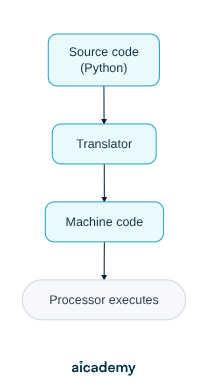
Without a translator, a processor cannot understand Python, Java, or any other high-level language. The translator bridges the gap between the human-readable source and the hardware.
Two types of translator are required for OCR J277: compilers and interpreters.
| Feature | Compiler | Interpreter |
|---|---|---|
| How it works | Translates the entire program before execution | Translates and executes one line at a time |
| Output | A standalone executable file | No separate file — runs directly |
| Errors reported | After the whole program is translated | When the problematic line is reached |
| Execution speed | Faster (already translated) | Slower (translates each line at runtime) |
| Development use | Better for finished, distributed programs | Better for development and debugging |
Something not quite clicking?
Ask Aica to explain any part of this differently. Free, takes 30 seconds.
Key terms
- Machine code
- Binary instruction patterns that a processor can execute directly. All other languages must be translated into machine code before they can run.
- High-level language
- A programming language with syntax close to human language (such as Python or Java). Portable across different hardware but must be translated to machine code.
- Low-level language
- A programming language (such as assembly language) that maps closely to individual processor instructions. Hardware-specific but gives fine-grained control over memory and registers.
- Translator
- A program that converts source code written in one language into machine code that a processor can execute.
- Compiler
- A translator that converts the entire source program into a standalone executable before execution. Errors are reported after full translation.
- Interpreter
- A translator that reads and executes source code one line at a time. Execution stops at a line containing an error, and no separate executable file is produced.
- IDE (Integrated Development Environment)
- A software application that combines an editor, error diagnostics, run-time environment, and translator in one place for writing, testing, and debugging programs.
- Syntax highlighting
- An IDE editor feature that colour-codes keywords, strings, and other language elements to help developers spot errors such as mismatched brackets.
- Error diagnostics
- An IDE tool that identifies and reports syntax and runtime errors, highlighting the line where the error occurs and explaining its type.
Frequently asked questions
A compiler translates the entire program into machine code before it runs, producing a standalone executable, and reports errors after full translation. An interpreter translates and executes one line at a time, stops at the line containing an error, and requires no compilation step between code changes.
Use a compiler when distributing a finished product: the executable runs faster, the source code is not exposed, and users do not need the original language installed. Use an interpreter during development because errors are reported immediately at the exact line they occur.
An IDE provides an editor with syntax highlighting and auto-completion, error diagnostics that identify and pinpoint syntax and runtime errors, a run-time environment to execute and observe the program, and a built-in translator (compiler or interpreter).
Generate revision on any topic you study
Type any topic you're studying and Aicademy generates a complete lesson, quiz, and flashcard set, personalised to your level.
Lessons on anything
Structured, level-matched lessons on any topic you study
Practice quizzes
Find out what you actually know before the exam does
Flashcard sets
Lock in key concepts with instant revision cards
Ask Aica
Stuck on something? Get a clear explanation, any time
Boolean Logic
CPU Architecture and the Fetch-Execute Cycle
Related lessons
8 min
6 min
7 min
Systems Software — Operating Systems and Utilities
OCR GCSE Computer Science · OCR J277
4 months ago